English
 Arabic
 French
 Spanish
 Portuguese
 Deutsch
 Turkish
 Dutch
Dutch
 Italiano
 Russian
 Romaian
 Portuguese (Brazil)
 Greek
Greek
Laser Rostentferner von Lasershop – Moderne Lösung für effiziente Rostentfernung
Other |
2026-06-02 07:07:39
 Advertise With Us
 About Us
 Terms And Conditions
 Privacy Policy
Mostra tutti i risultati
Privacy Policy
Mostra tutti i risultati

Passa a Pro
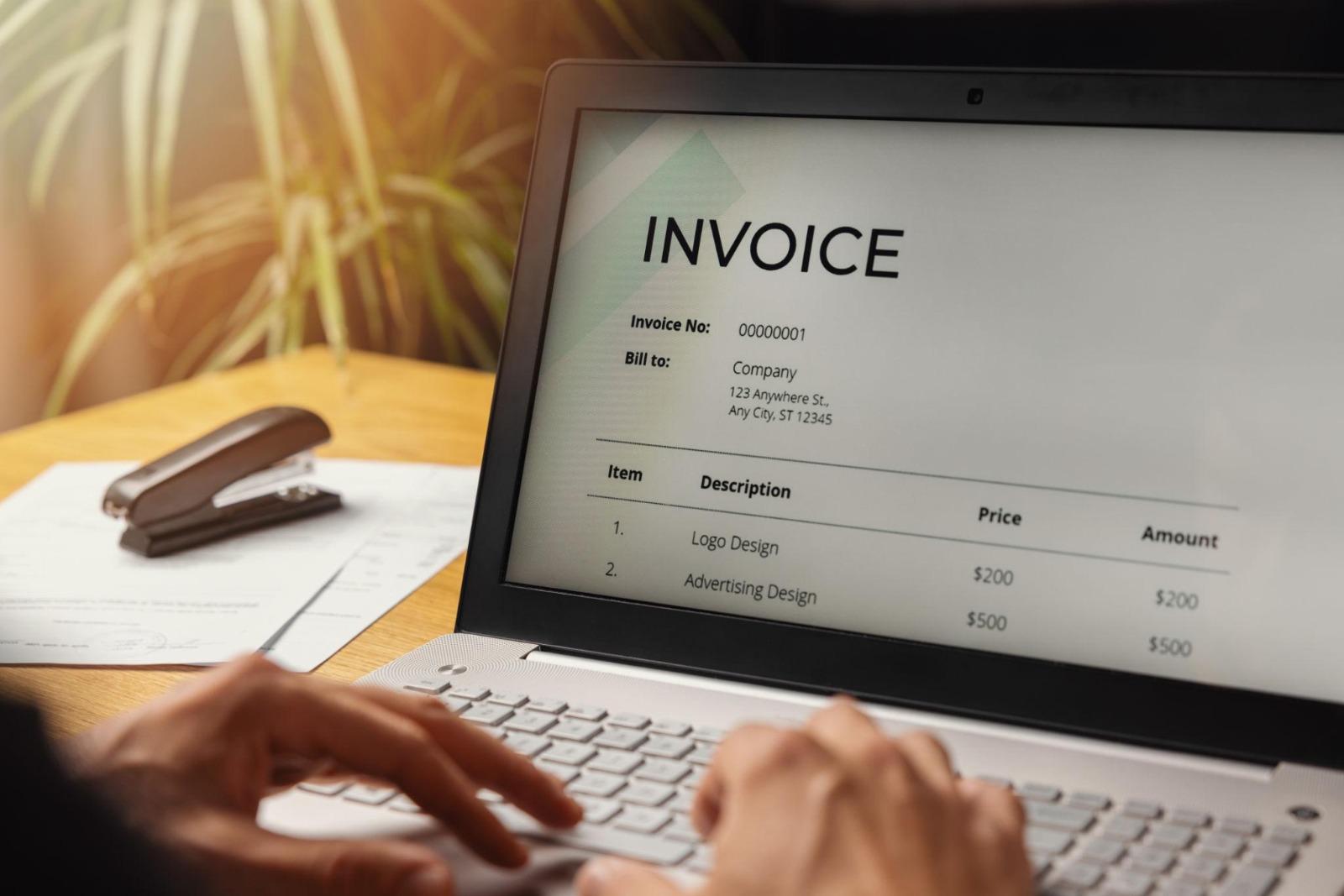
Internet access has become an important part of modern business, but it is not available everywhere all the time. Freelancers, contractors, field workers, and small business owners may sometimes work in places with weak signals, limited Wi-Fi, or no reliable connection. When billing depends completely on the internet, even a temporary connection problem can interrupt normal work.
An offline invoice app can provide a practical solution for these situations. It allows users to handle important invoice-related tasks without requiring continuous internet access, depending on the application's specific offline features.
This can be particularly helpful for professionals who work at customer locations, travel between different areas, or operate in places where connectivity is not always reliable. Instead of waiting for an internet connection before preparing billing information, users can continue their workflow and synchronize information when connectivity becomes available, if supported by the app.
Mobile invoicing also makes billing more convenient because users can work from a smartphone or tablet instead of relying entirely on a desktop computer.
Invoice Spark offers a straightforward approach to invoicing for freelancers and small businesses, helping users make everyday billing more organized and convenient.
An offline invoice app is an invoicing application that provides certain billing functions without requiring a continuous internet connection.
The exact offline capabilities vary between applications. Some may allow users to create and save invoices offline, while others may support additional functions such as viewing customer information or accessing previously stored billing records.
A typical offline invoicing workflow may include:
The key advantage is flexibility.
Users do not have to stop every billing task simply because their internet connection is temporarily unavailable.
Businesses do not always operate in locations with strong internet access.
Consider a contractor working at a remote construction site. The contractor may have completed a job but have no reliable connection. If the billing process requires constant internet access, the contractor may need to wait until returning to an area with better connectivity.
An offline-capable invoicing solution can make the process more flexible.
Offline invoicing can be especially useful for:
For these professionals, the ability to continue working without a constant connection can reduce unnecessary delays.
The biggest advantage of offline invoicing is the ability to continue certain billing activities when internet access is unavailable.
Internet problems can happen for many reasons:
An offline-capable app can allow users to continue supported invoicing tasks instead of stopping completely.
This is particularly valuable for field-based professionals.
For example, a repair technician can enter the details of a completed service even if the customer's location has poor connectivity. Depending on the app's capabilities, the information can later be synchronized or shared when an internet connection is restored.
Business owners are increasingly working outside traditional offices.
A contractor may spend the day visiting customers. A photographer may travel to different event locations. A consultant may work from multiple cities. A freelancer may work from home, a café, or a coworking space.
An offline-capable mobile invoicing solution can provide greater flexibility.
Users can potentially prepare billing information wherever their work takes them.
This means they do not necessarily have to wait until they return to a desktop computer or find a stable internet connection.
The ability to Create invoices from a mobile device can make everyday billing more convenient.
Smartphones are now common business tools.
Many professionals already use their phones for email, communication, scheduling, customer service, and project management. Adding invoicing to the same workflow can make business administration easier.
Being able to create invoice on phone is particularly useful for people who work in the field.
A simple mobile invoice workflow can involve:
The exact steps depend on the application's features, but the general concept is simple.
Manual invoicing can involve repetitive tasks.
A business owner may need to:
Repeating these steps for every customer can consume valuable time.
A dedicated invoicing application can make the process more structured.
Saved customer information and reusable service details can reduce repeated typing.
For businesses that create many invoices, even small time savings can add up.
Instead of spending unnecessary time formatting documents, business owners can focus on completing projects and serving customers.
Another advantage of offline-capable invoicing is convenient access to previously stored information, depending on the application's functionality.
A business owner may need to review:
If the application supports offline access to this information, users can review relevant data without waiting for a connection.
This can be helpful when meeting customers in locations with limited connectivity.
However, users should always understand exactly which information and features remain available offline because offline capabilities differ between applications.
Delayed invoicing can create unnecessary administrative problems.
A freelancer may finish a project but postpone billing because they are traveling. A contractor may complete a job but wait until returning to the office. A service professional may forget to prepare an invoice after a busy day.
Offline invoicing can reduce some of these delays by allowing users to prepare supported billing information when the work is completed.
A simple workflow can be:
Complete service → Prepare invoice → Save invoice → Send or synchronize when available → Track payment
This creates a more consistent billing routine.
The faster an invoice is prepared and sent, the sooner the customer can review the charges and begin the payment process.
Software cost is another important consideration for freelancers and small businesses.
Some professionals only need basic invoicing functions and do not want to commit to recurring software expenses.
An invoice app no subscription option may be attractive to users who prefer to avoid monthly or annual subscription payments, where such an option is offered.
This may be useful for:
However, users should always review the provider's current pricing and feature terms before making a decision.
A free or no-subscription option should still provide the features necessary for the business's actual workflow.
Offline invoicing can be particularly valuable for field-based businesses.
These businesses may spend most of their working day away from offices.
Examples include:
A field professional may complete a service and need to record the billing information immediately.
If internet access is unavailable, an offline-capable invoice app can help the professional continue supported tasks without unnecessary delays.
This makes mobile invoicing a practical tool for businesses that do not operate from a fixed location.
A modern business workflow needs to adapt to different situations.
Internet access can be excellent in one location and poor in another. A mobile application with offline capabilities can provide additional flexibility.
Instead of making connectivity a requirement for every billing step, businesses can perform supported offline tasks and complete online actions later when a connection is available.
This can make billing more resilient.
For freelancers and small businesses, flexibility can be just as valuable as speed.
The exact process depends on the application, but a typical workflow may look like this.
Enter your business name and relevant contact details.
This information can be used when preparing invoices.
Enter customer names and contact information.
For repeat customers, saved information can make invoice preparation faster.
Enter the services you provide or products you sell.
Use clear descriptions so customers understand the charges.
Add prices, quantities, rates, taxes, or discounts as applicable.
Build the invoice using the available information.
Check customer details, services, prices, dates, and totals.
If offline saving is supported, save the invoice locally according to the app's available features.
When an internet connection is available, use the supported sharing or synchronization features.
Keep the invoice status updated so outstanding payments do not get forgotten.
| Feature | Online-Only Invoicing | Offline-Capable Invoicing |
|---|---|---|
| Internet dependency | Usually required | Reduced for supported tasks |
| Mobile access | Depends on app | Often available |
| Field work | Can be difficult without connection | More flexible |
| Invoice preparation | Online | Can be possible offline |
| Customer information | Usually online | May be available offline |
| Synchronization | Usually automatic | May occur when connection returns |
| Remote locations | Less convenient | More practical |
| Connectivity interruptions | Can interrupt workflow | Less disruptive |
The right choice depends on the business's location, workflow, and billing requirements.
Freelancers who travel or work from different locations can prepare billing information without relying on constant internet access.
Contractors can record billing information at customer locations or job sites.
Repair technicians can prepare invoices after completing services, even in locations with weak connectivity.
Photographers can manage billing around events, weddings, and outdoor sessions.
Consultants who travel for meetings can manage supported billing tasks while away from the office.
Cleaning professionals can maintain billing workflows while visiting different customer locations.
Businesses operating in areas with inconsistent internet service can benefit from offline functionality.
Professionals who spend most of their workday on the road can use mobile invoicing for greater convenience.
Freelancers often have to manage both their professional work and business administration.
A freelance writer may have several clients. A designer may manage multiple projects. A developer may bill clients at different stages. A photographer may invoice customers after completing events.
This is where invoicing software for freelancers can become useful.
A good invoicing workflow can help freelancers:
When the software supports mobile and offline capabilities, freelancers can have additional flexibility while working away from their usual workspace.
Not all offline invoice apps provide the same features.
Before choosing a solution, consider the following.
Check whether invoices can actually be created and saved without internet access.
Find out which customer and billing information remains available offline.
If the application supports synchronization, understand how and when offline information is uploaded or updated.
The app should work well on the smartphone or tablet you use for business.
Organized customer information can make repeat billing faster.
Payment-status features can help you monitor outstanding invoices.
Invoices should be clear and easy for customers to understand.
If you want an invoice app no subscription, carefully review the available pricing model and limitations.
Business and customer information should be handled responsibly. Review the application's privacy and security information before using it for sensitive business records.
Offline invoicing makes billing more flexible, but professional invoice practices still matter.
Enter the customer's name and contact details correctly.
Invoice numbers help businesses organize records and identify individual transactions.
Customers should understand exactly what they are being charged for.
Review all numbers before finalizing the invoice.
Clearly state when payment is expected.
An offline workflow should still include a final accuracy check.
If the application supports synchronization, make sure saved offline information is properly synchronized when connectivity returns.
Even with an offline invoicing system, businesses can make mistakes.
Not every function in an app necessarily works without internet access. Check the application's specific offline capabilities.
If the app requires synchronization, make sure offline records are updated when a connection becomes available.
Review customer details regularly.
Always check prices, quantities, services, and totals before sending.
Creating an invoice is not the end of the billing process. Track whether customers have paid.
If an invoice needs internet access to be sent, share it when connectivity becomes available rather than forgetting about it.
Invoice Spark provides a straightforward approach to everyday invoicing for freelancers and small businesses.
A simple invoicing workflow can help users manage common billing activities without unnecessary complexity.
Invoice Spark can support workflows involving:
For professionals who need convenient billing tools, a mobile-focused approach can make routine administration easier.
When offline capabilities are available in an invoicing solution, they can also provide additional flexibility for users who work in locations where internet access is not always reliable.
Users should review the application's current features to understand which functions are available offline and how synchronization works.
The way people work has changed.
Freelancers and small business owners are no longer tied to a single office. They may work from home, travel for meetings, visit customers, or provide services at different locations.
A mobile invoicing app allows billing tasks to move with the business.
When offline functionality is available, the workflow can become even more flexible.
For example:
Work location → Complete service → Create invoice → Save billing information → Connect later → Send or synchronize → Track payment
This approach can reduce dependence on a specific location or constant internet connection.
As a business grows, the number of invoices and customers usually increases.
More customers can lead to:
A consistent invoicing process can help businesses stay organized.
An offline-capable system can provide additional flexibility for businesses that operate in different locations.
It can help users maintain a regular workflow even when connectivity is temporarily unavailable.
The goal is not to eliminate all administrative work. Instead, it is to make everyday billing more predictable, organized, and convenient.
An offline invoice app can be a practical billing solution for professionals who need flexibility.
An offline invoice app is an invoicing application that supports certain billing functions without requiring a continuous internet connection. The exact offline features depend on the application.
Some invoicing applications allow users to create and save invoices offline. You should check the specific app's offline functionality before relying on it.
If the application supports offline invoice creation, you may be able to create and save an invoice on your smartphone without an internet connection.
If the application supports synchronization, offline information may be synchronized when an internet connection becomes available. The exact process varies by application.
Yes. Freelancers who travel, work remotely, or visit customers can benefit from being able to perform supported billing tasks without depending on constant connectivity.
An invoice app with no subscription generally means the applicable service does not require a recurring monthly or annual subscription. Pricing and features vary by provider.
Yes. Small businesses that work in remote locations or experience unreliable internet connections may find offline invoicing useful for supported billing tasks.
A professional invoice generally includes business information, customer details, invoice number, date, products or services, prices, quantities, total amount, payment terms, and applicable taxes or discounts.
Invoicing software for freelancers can help organize customer information, create professional invoices, track payments, manage repeat billing, and reduce repetitive administrative work.
Invoice Spark provides a straightforward approach to invoicing for freelancers and small businesses. Users should review its current features to determine which mobile and offline functions are available for their specific workflow.
Reliable billing is an important part of running a successful business, but internet connectivity is not always reliable. Freelancers, contractors, field service providers, and small businesses may work in locations where Wi-Fi or mobile data is limited.
An offline invoice app can provide valuable flexibility by allowing supported billing tasks to continue without a constant internet connection. Users can potentially create invoices, review stored information, and save billing records before reconnecting and completing online actions.
Mobile invoicing makes this process even more convenient. Professionals can create invoices from their phones, manage customers, track payments, and maintain billing records while working away from a traditional office.
Features such as offline invoice creation, mobile access, customer management, payment tracking, and an invoice app no subscription option can make billing more practical for independent professionals.
For freelancers, invoicing software for freelancers can also reduce repetitive work and create a more consistent billing workflow.
Invoice Spark provides a straightforward approach to everyday invoicing for freelancers and small businesses. By keeping billing simple and convenient, businesses can spend less time dealing with administrative tasks and more time serving customers and growing their work.
Whether you work at a remote job site, travel between customers, or simply want more flexibility in your daily workflow, offline-capable mobile invoicing can help make business billing easier to manage.