English
 Arabic
 French
 Spanish
 Portuguese
 Deutsch
 Turkish
 Dutch
Dutch
 Italiano
 Russian
 Romaian
 Portuguese (Brazil)
 Greek
Greek
Why Is the Refractories Market Essential for Modern Industrial Manufacturing?
Networking |
2026-07-27 04:27:32
 Advertise With Us
 About Us
 Terms And Conditions
 Política de privacidade
Ver todos
Política de privacidade
Ver todos

Atualizar para Plus
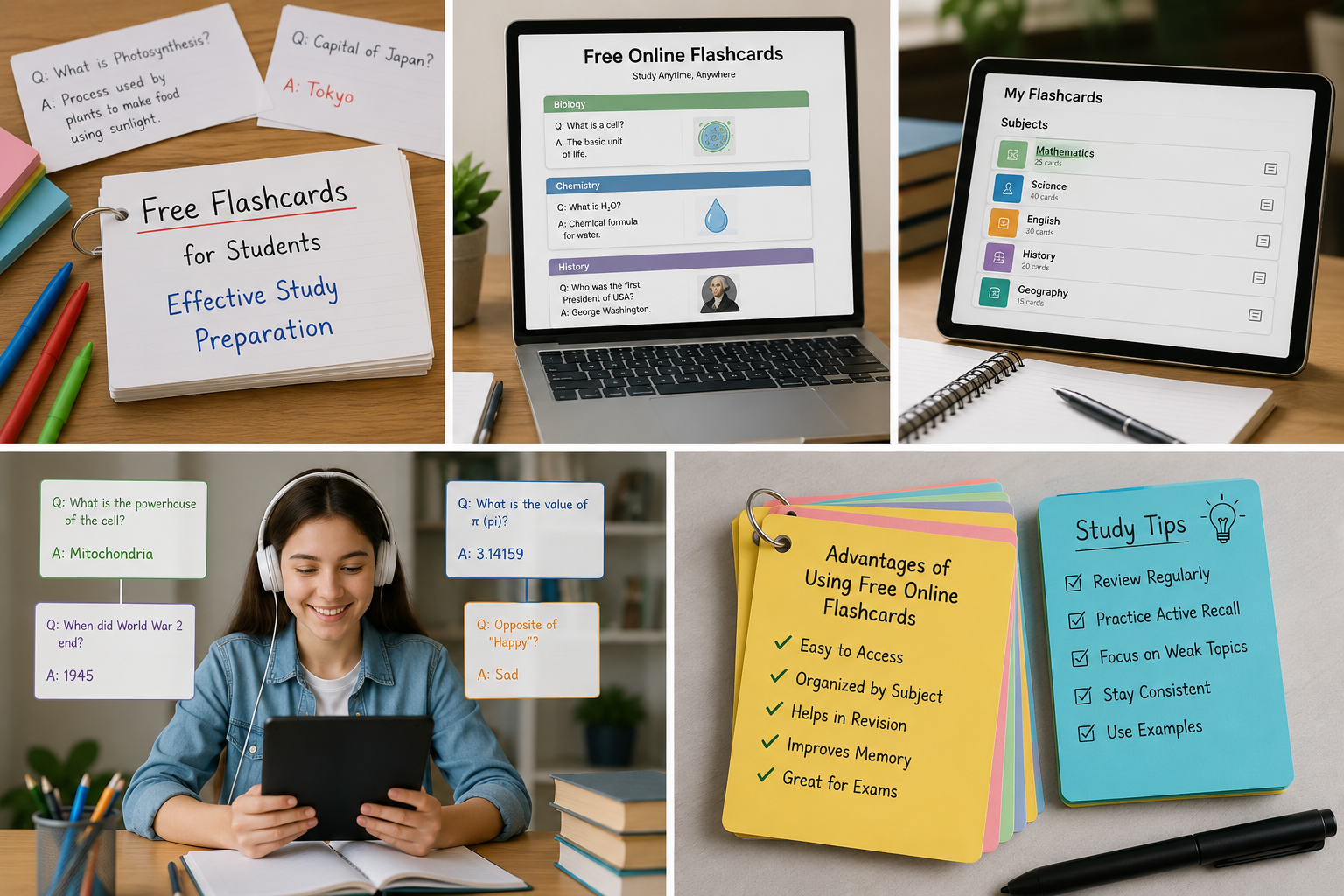
Modern learners need study tools that are simple, flexible, and affordable. A free flashcard app helps students turn important information into short question-and-answer cards without buying printed materials. These cards can be reviewed on supported phones, tablets, or computers, making learning easier at home, in class, or while traveling.
FlashCard AI can help students, teachers, professionals, and language learners prepare organized digital card sets. Users can study vocabulary, formulas, dates, definitions, and key ideas in short sessions. For the best results, flashcards should be combined with active recall, regular review, and other learning methods.
A free flashcard app is a digital tool that lets users create, organize, and review study cards at no initial cost. Each card normally has a question, term, or image on the front and an answer or explanation on the back.
People commonly use these apps to:
Some platforms may offer basic tools for free while charging for advanced features. Users should check current pricing and limits before selecting an app.
A flashcard app divides learning material into small pieces. The learner views a prompt, tries to remember the answer, and then turns the card over to check the response.
For example:
The basic process is simple:
This process helps learners identify what they know and which topics need more attention.
Printed revision books, workbooks, and physical card sets can be expensive. A no-cost app gives learners an affordable way to begin studying with digital materials.
It can reduce the need for:
However, free access may come with limits. Some services restrict card creation, AI tools, file uploads, exports, or storage. Others may include advertisements or optional subscriptions. Always review the service details to understand what is included.
Writing every card by hand can take hours. Digital creation makes it easier to type questions, copy layouts, correct mistakes, and organize complete sets.
FlashCard AI can support this process by helping users change suitable learning material into structured questions and answers. This provides a useful starting point when students have long notes or several chapters to study.
A practical card-creation workflow is:
AI-generated information should always be checked because artificial intelligence can make mistakes or miss important context.
Active recall means trying to remember information before looking at the answer. This is different from repeatedly reading notes because it requires the learner to test their memory.
Use this method during each review session:
Avoid showing the answer too quickly. The effort of trying to remember is an important part of the learning process, even when the first answer is incorrect.
Digital flashcards for study can be accessed from supported devices, so learners do not need to carry piles of paper cards. This makes short and regular review sessions easier to fit into a busy schedule.
Students may review their cards:
A focused ten-minute session can be useful when it is repeated regularly. Consistent practice is often easier to maintain than one long review session before an exam.
A digital app can keep cards in named folders, decks, or study sets. This makes it easier to find the right information when a learner has several courses.
Cards can be organized by:
For example, a science learner may create separate sets for biology, chemistry, and physics. Each subject can then be divided into smaller chapter sets.
Useful review labels include:
Difficult cards should be reviewed more often, while mastered cards should still appear occasionally.
Free online flashcards can support a wide range of subjects and skills.
Cards can help learners review:
Language cards should be combined with speaking, listening, reading, and writing activities.
Useful card topics include:
Math cards can cover:
Learners should also complete full problems to understand how each formula is applied.
Cards may include:
Professionals can review:
Every learner has different strengths, weak areas, and goals. Personal card sets can match a specific course and level more closely than general revision materials.
Users can personalize cards by:
A beginner may need simple definitions, while an advanced learner may need comparison or application questions. Personalization makes each study set more relevant.
Spaced repetition is a review method that uses planned time gaps. New and difficult information is reviewed often, while familiar content appears less frequently.
A simple schedule could be:
If the learner forgets an answer, the card should return to a shorter review gap. When the answer remains easy, the time before the next review can increase.
Some apps may schedule these reviews automatically. Available tools differ between platforms, so users should check whether spaced repetition is included.
Teachers can use digital card sets for classroom games, quick quizzes, homework, and revision. FlashCard AI can help educators prepare an initial set, reducing repetitive setup work.
Possible classroom activities include:
Teachers should review every card before sharing it with students. The information must be accurate, age-appropriate, and connected to the lesson goals.
The best app depends on the learner’s goals, devices, and preferred study method. Useful features may include:
Also check whether the app allows exports, offline review, or shared card sets if those features are important to you. Do not upload private, confidential, or sensitive documents without reviewing the platform’s data and privacy policies.
Good cards are easy to read and focused on one useful point. A card with too much text can slow down review and make the answer harder to remember.
Follow these best practices:
Instead of asking, “Explain the whole water cycle,” create separate cards about evaporation, condensation, precipitation, and collection.
Even a well-designed app will not help if the cards are used poorly. Avoid these common problems:
Combine card review with lessons, reading, written work, discussions, practical exercises, and mock exams.
Yes. It can help students review terms, facts, formulas, and short concepts. For complete preparation, cards should be combined with practice papers and longer questions.
Not always. Some apps provide a basic free plan but charge for AI tools, additional storage, exports, or advanced review features. Check the current plan details.
Start with 10 to 20 cards and adjust the number based on your time and the subject’s difficulty. Regular review is more important than a high daily total.
Both formats can work. Digital cards are easy to edit, organize, and carry. Paper cards provide hands-on, screen-free practice.
FlashCard AI can help change suitable notes into organized questions and answers. Users should verify every generated card against a trusted source.
Yes, with suitable adult guidance and age-appropriate content. Parents and teachers should check the platform’s age rules, privacy policy, and safety features.
A good card has one clear question and one short, correct answer. It should test useful information and be easy to understand.
No. They are mainly tools for review and memory practice. They work best alongside trusted lessons, books, teacher feedback, and practical activities.
A free flashcard app offers an affordable and flexible way to organize learning material, practice active recall, and prepare for exams. Digital cards can support many subjects and fit easily into short daily study sessions.
FlashCard AI helps users create organized card sets more efficiently. However, learners should always check generated information and use flashcards as part of a balanced study plan. Clear cards, spaced repetition, and regular practice can make learning more focused and manageable.
for more detailed:https://helengrace715689.substack.com/p/10-amazing-benefits-of-a-free-flashcard