English
 Arabic
 French
 Spanish
 Portuguese
 Deutsch
 Turkish
 Dutch
Dutch
 Italiano
 Russian
 Romaian
 Portuguese (Brazil)
 Greek
Greek
Botox Injection in Dubai for Wrinkle Prevention and Youth
Other |
2026-05-15 06:43:46
 Advertise With Us
 About Us
 Terms And Conditions
 Politique de confidentialité
Tout voir
Politique de confidentialité
Tout voir

Mise à niveau vers Pro
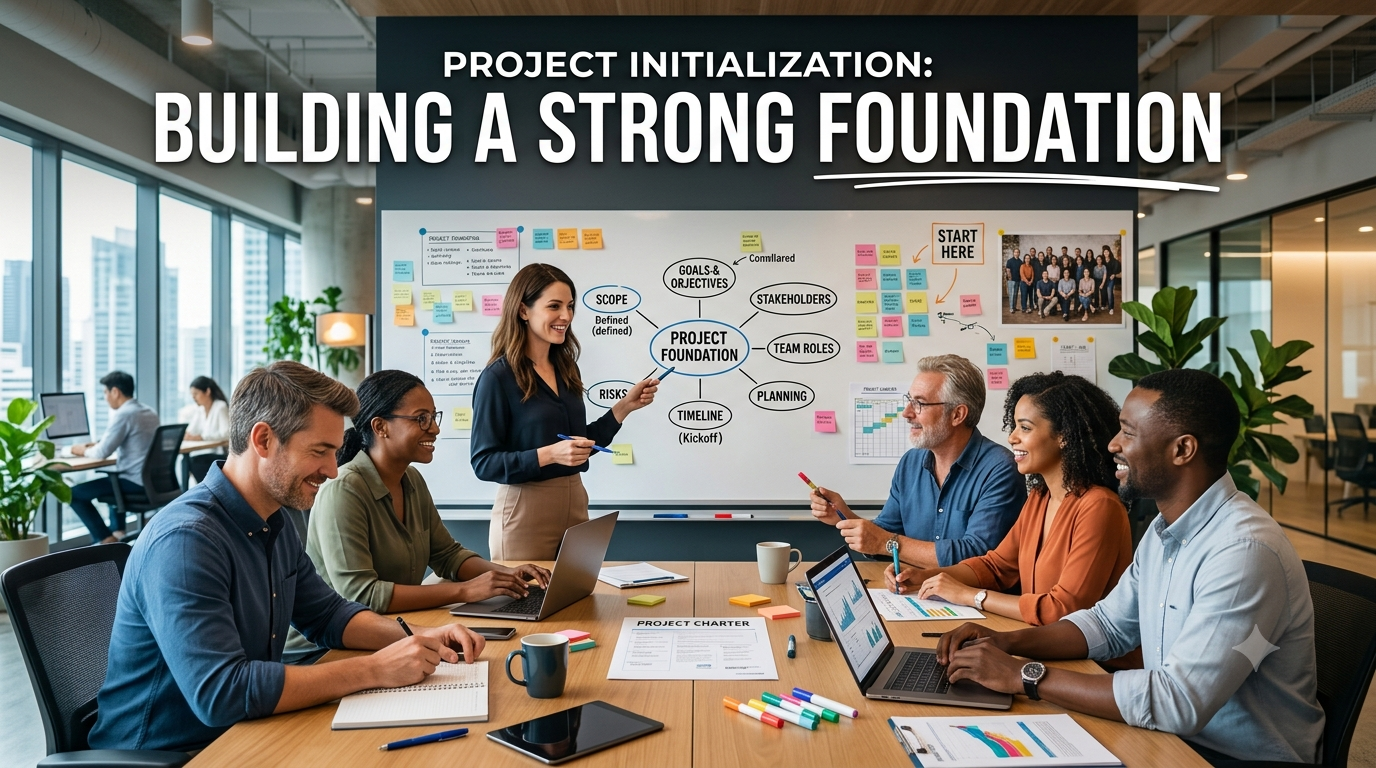
Every successful creative project begins with proper preparation. Whether you are working on a short film, a marketing campaign, an educational video, or a digital storytelling project, the first stage determines how efficiently the rest of the process will unfold. A well-planned start helps reduce confusion, improves collaboration, and keeps every team member aligned with the project goals. Platforms like AI Suites have highlighted the importance of beginning with a structured setup, making it easier for creators to organize ideas before moving into production.
Project initialization is much more than creating a new project. It is the process of establishing a clear direction, organizing essential resources, and preparing everything needed before the creative work begins. When this stage is handled carefully, it reduces uncertainty and helps maintain consistency throughout the project.
Many creators are eager to jump directly into production, but skipping the planning stage often leads to avoidable mistakes. Missing files, unclear objectives, inconsistent visuals, and communication gaps can slow progress and increase revision time. A strong project setup provides a solid foundation that supports every step of the creative journey.
Before starting any creative work, it is important to define the project's purpose. Every project should have a clear objective that guides decisions throughout production.
Ask yourself questions such as:
Having clear answers helps ensure that every design choice, scene, and visual element supports the overall objective.
Once the project goals are established, the next step is collecting and organizing all necessary resources. This may include scripts, logos, brand guidelines, images, videos, music, fonts, character references, or research materials.
Keeping these resources organized offers several advantages. Team members can easily locate files, version control becomes simpler, and the chances of using outdated assets are greatly reduced.
A structured folder system also saves valuable time during revisions because every file has its proper place.
Every creative project has its own unique style. Some projects require realistic visuals, while others benefit from animation, illustrations, or cinematic effects.
Before production begins, it is helpful to establish visual guidelines, including:
Making these decisions early creates consistency and prevents unnecessary changes later in the production process.
A well-organized workspace improves productivity and collaboration. Whether you are working independently or with a large team, preparing the project environment before production begins helps everyone stay organized.
This setup may include creating project folders, assigning access permissions, defining naming conventions, and establishing file management practices. These simple preparations reduce confusion and make collaboration much more efficient.
Content preparation involves reviewing every piece of information before visuals are created. Scripts should be checked for clarity, grammar, completeness, and logical structure. Any missing information should be identified and corrected before moving forward.
Many creators also gather visual references during this stage to maintain consistency across scenes, characters, and environments. Proper preparation minimizes revisions and helps production proceed smoothly.
Creative projects often involve writers, designers, editors, animators, and reviewers working together. Project initialization provides an opportunity to establish roles and responsibilities before production begins.
Clear communication helps every contributor understand:
When expectations are established early, teams experience fewer misunderstandings and work more efficiently.
Breaking a project into smaller sections makes it easier to manage. Instead of treating the production as one large task, creators can organize individual scenes according to the script or project outline.
This approach simplifies revisions because updates can be made to specific sections without affecting the rest of the project.
At this stage, many creators also prepare a flow storyboard to visualize how scenes connect, identify pacing issues, and improve storytelling before full production begins. This early planning helps reduce changes during later stages of development.
Many production problems can be avoided by reviewing project settings before work begins.
Some important items to verify include:
Although these checks take only a short time, they can prevent significant delays later in the project.
Creative work almost always involves revisions. Clients, stakeholders, or team members frequently request updates after reviewing early versions.
A properly organized project makes these revisions much easier. Since files, assets, and decisions are already documented and organized, creators can quickly locate the necessary resources without wasting time searching through multiple folders.
This preparation also reduces the risk of accidentally editing outdated versions or losing important files.
Modern creative projects often involve remote teams working from different locations. Writers, designers, editors, and project managers all need access to the same organized information.
Project initialization creates a shared structure that keeps everyone aligned. Consistent naming conventions, organized folders, and clearly defined objectives improve communication and reduce confusion throughout production.
A standardized system also helps new team members become familiar with the project more quickly.
As creative workloads grow, having a repeatable initialization process becomes increasingly valuable. Instead of creating a new system for every project, teams can follow the same proven structure each time.
A standardized approach improves consistency, speeds up project setup, and makes collaboration easier across multiple projects. It also allows organizations to refine their process over time, resulting in greater efficiency and higher-quality outcomes.
Project initialization is one of the most important stages of any creative workflow because it establishes the foundation for everything that follows. Defining clear goals, organizing resources, preparing content, selecting a visual direction, and creating an efficient workspace all contribute to a smoother production process.
By investing time in careful preparation, creators can reduce errors, improve collaboration, simplify revisions, and produce better results with greater confidence. A well-planned beginning ultimately saves time, enhances creativity, and supports successful project delivery from start to finish.
To learn about the next stage of the process, read AI Script Analysis.