English
 Arabic
 French
 Spanish
 Portuguese
 Deutsch
 Turkish
 Dutch
Dutch
 Italiano
 Russian
 Romaian
 Portuguese (Brazil)
 Greek
Greek
Data Centric Security Market Trends Highlighting the Growing Importance of Information-Centric Security Solutions
Other |
2026-07-24 11:17:39
 Advertise With Us
 About Us
 Terms And Conditions
 Πολιτική Ιδιωτικότητας
δες τα όλα
Πολιτική Ιδιωτικότητας
δες τα όλα

Upgrade to Pro
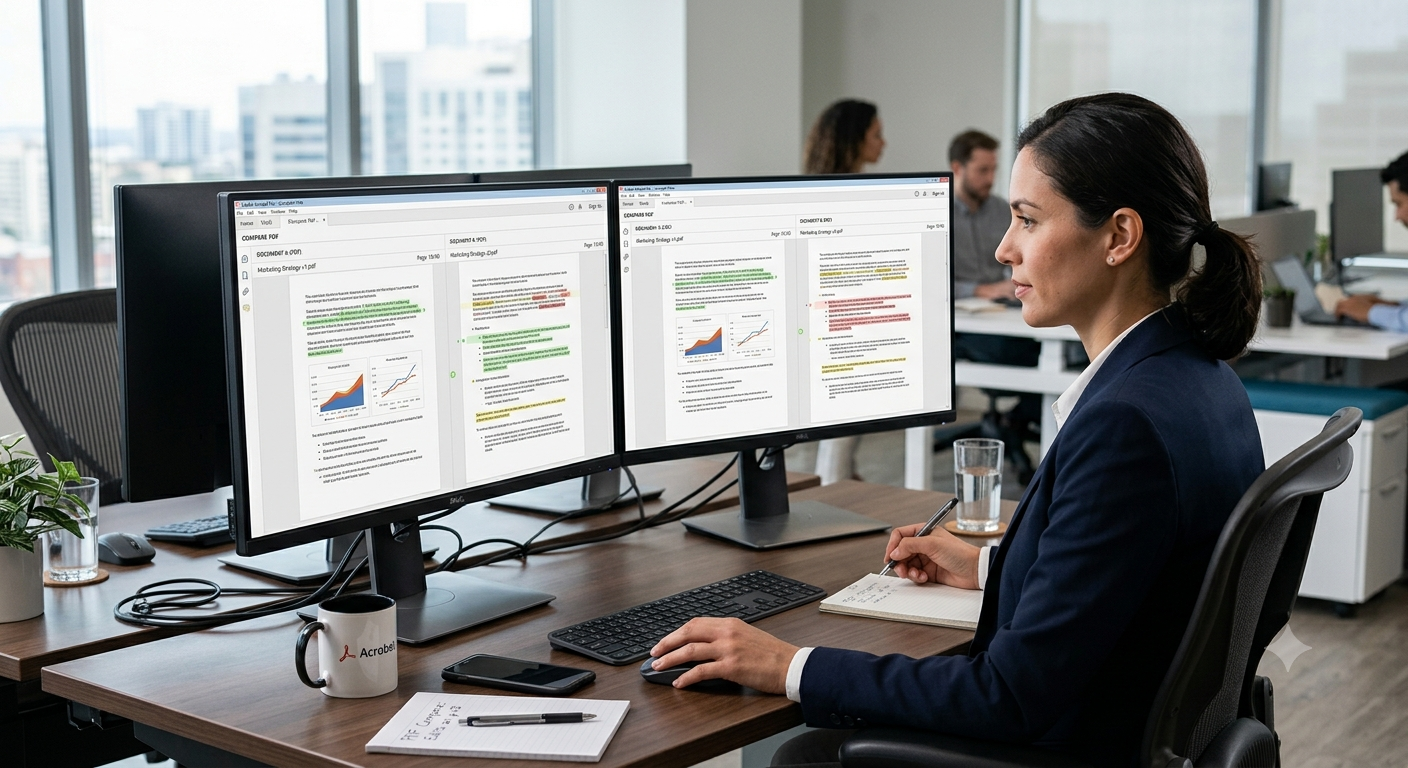
Comparing two PDF files side by side is one of the most common tasks for anyone who handles contracts, reports, or revised drafts on a regular basis. Whether you are checking a redlined agreement against its original version or verifying that a printed report matches its source file, a reliable PDF comparison tool can save hours of manual review and eliminate the risk of missing a critical change. In this guide, we'll walk through how PDF comparison works, when you need it, and how to get accurate results every time.
A PDF comparison tool scans two documents and highlights the differences between them, including added text, deleted text, formatting changes, and even shifts in layout or page order. Most tools break the document down page by page and line by line, flagging discrepancies in a color-coded format so reviewers can quickly spot what changed. Some advanced tools go further and detect changes to images, tables, and embedded metadata as well.
Text-based PDFs, which contain selectable and searchable text, are compared using direct text extraction, making the process fast and highly accurate. Image-based PDFs, such as scanned documents, require optical character recognition (OCR) before comparison can happen, since the tool first needs to convert the scanned image into readable text. This extra step means scanned PDFs may take slightly longer to process and can occasionally introduce minor recognition errors, especially with low-quality scans or unusual fonts.
Yes, most modern comparison tools separate cosmetic changes, like font size, spacing, or color adjustments, from substantive content changes, like added or removed sentences. This distinction matters greatly in legal and financial contexts, where a formatting tweak carries no real consequence but a single altered clause or number could change the meaning of an entire agreement. Look for a tool that lets you filter or toggle between these two categories for a cleaner review experience.
Lawyers, procurement teams, and HR professionals frequently compare contract drafts to confirm that only the agreed-upon changes were made before a document is signed. Instead of reading both versions word for word, they upload the original and the revised file, and the tool instantly highlights every insertion, deletion, and clause modification. This process is especially valuable during multi-party negotiations, where documents pass through several rounds of edits and it becomes easy to lose track of what changed at each stage.
Researchers, editors, and technical writers often work through multiple drafts of a paper, thesis, or manual, and comparing versions ensures that requested revisions were actually implemented correctly. This is particularly useful when working with co-authors or reviewers, since it becomes immediately clear whether feedback was addressed without needing to reread the entire document from scratch. It also creates a simple audit trail showing exactly how a document evolved over time.
Auditors and compliance officers rely on PDF comparison to confirm that submitted reports, statements, or filings match approved templates and haven't been altered improperly. Even a single changed figure in a financial statement can have significant implications, so having a tool that flags every numerical and textual discrepancy adds a critical layer of oversight. This is especially useful when comparing quarterly reports against previous filings to track incremental changes over time.
The best PDF comparison tools support side-by-side viewing, color-coded difference highlighting, exportable comparison reports, and the ability to handle both text-based and scanned documents. It also helps if the tool allows you to compare documents of different page counts, since revised drafts often add or remove entire sections. Speed and accuracy matter most when working with lengthy contracts or technical manuals that can run into dozens of pages.
Also Check Out : Multiconverters
Reputable online tools process files securely and typically delete uploaded documents automatically after a short period, but it's still wise to check a service's privacy policy before uploading anything containing confidential or sensitive information. For extremely sensitive material, such as unreleased financial statements or classified legal documents, some organizations prefer offline desktop software that never transmits files over the internet. Weighing convenience against your organization's data-handling requirements will help you pick the right approach.
Free online comparison tools generally handle everyday documents like contracts, resumes, and short reports very well, but very large files or documents with hundreds of pages may run into upload size limits or slower processing times. If you regularly work with lengthy technical manuals or multi-hundred-page reports, it's worth checking a tool's file size limits in advance to avoid interruptions mid-task. For occasional use on standard-length documents, a free browser-based tool is usually more than sufficient.
Before comparing, make sure both files are the intended versions and, if possible, use PDFs generated from the same source format to reduce unnecessary formatting discrepancies. Removing password protection or unlocking restricted PDFs beforehand also helps, since some comparison tools cannot process encrypted files. Naming files clearly, such as "Draft1" and "Draft2," further reduces the chance of confusion when reviewing results.
If a comparison result is cluttered with irrelevant formatting differences, try adjusting the tool's sensitivity settings or filtering out layout-only changes so you can focus purely on content edits. Re-saving both documents through the same PDF export process can also help standardize formatting before comparison, reducing false positives caused by font rendering or spacing inconsistencies. When in doubt, cross-check a few flagged differences manually to confirm the tool's accuracy for your specific document type.
For any document that goes through multiple revision cycles, such as contracts, policies, or compliance filings, it's good practice to save the comparison report after each major revision as part of your document history. This creates a clear, timestamped trail showing exactly what changed and when, which can be invaluable during disputes, audits, or simply when trying to recall why a particular edit was made. Storing these reports alongside the final signed or approved document ensures nothing gets lost over time.
Comparing PDF files no longer needs to be a tedious, error-prone process. With the right approach and a dependable online comparison tool, you can catch every meaningful change in seconds rather than spending hours cross-referencing documents by hand.