English
 Arabic
 French
 Spanish
 Portuguese
 Deutsch
 Turkish
 Dutch
Dutch
 Italiano
 Russian
 Romaian
 Portuguese (Brazil)
 Greek
Greek
3-Hydroxyphenyl Phosphinyl Propanoic Acid Market Outlook 2026–2036: China & India Lead Growth as Yingkou Sanzheng and Hubei Wande Dominate Supply
Other |
2026-08-05 07:30:07
 Advertise With Us
 About Us
 Terms And Conditions
 Datenschutzbestimmungen
Alle anzeigen
Datenschutzbestimmungen
Alle anzeigen

Upgrade auf Pro
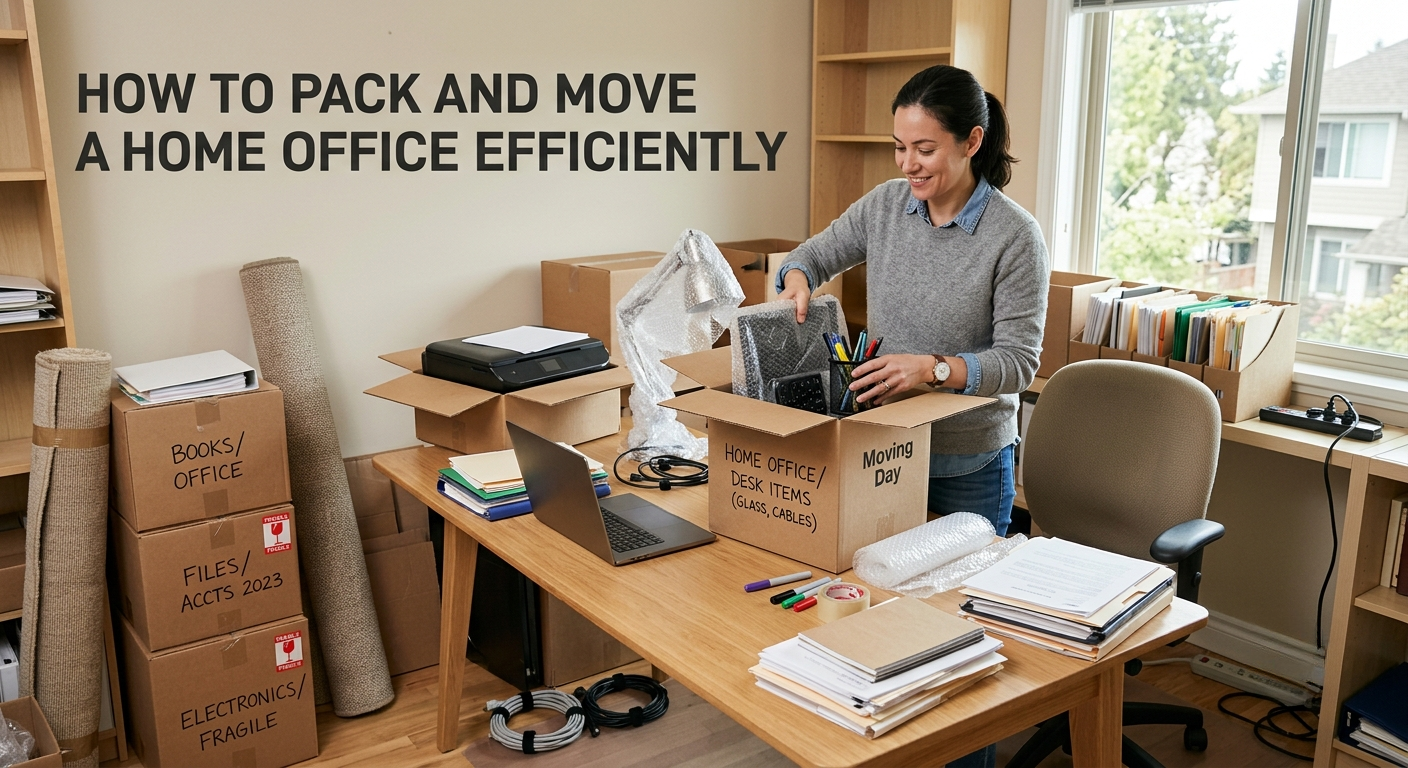
Working from home has become a permanent reality for millions of professionals and business owners.
When it comes time to relocate, moving a home office requires more planning than packing a typical room because valuable equipment, documents, and daily workflows are involved.
A well-organized approach can help minimize downtime, prevent damage, and ensure a smooth transition to the new workspace.
A home office often contains expensive technology, confidential documents, and specialized equipment. Unlike furniture or household items, office equipment is essential for maintaining productivity and business operations.
According to data from the U.S. Census Bureau, millions of Americans work remotely either full-time or part-time. This means more people than ever need practical strategies for relocating their workspaces without disrupting their professional responsibilities.
Careful preparation reduces the risk of:
Lost documents
Damaged electronics
Extended work interruptions
Data security issues
Increased moving costs
Before packing begins, it is important to identify everything that belongs in the office.
A detailed inventory helps ensure nothing gets misplaced during the move and provides documentation for insurance purposes if needed.
Desktop computers and laptops
Monitors and accessories
Printers and scanners
Networking equipment
External hard drives
Office furniture
Important paperwork
Chargers and cables
Office supplies
Many relocation experts recommend taking photographs of valuable equipment before packing. This creates a record of the item's condition and simplifies insurance claims if damage occurs during transit.
Using proper packing materials is one of the most effective ways to protect office equipment.
Professional movers often suggest investing in quality supplies rather than reusing damaged boxes.
Recommended materials include:
Sturdy moving boxes
Anti-static bubble wrap
Packing paper
Cable ties
Labels and markers
Heavy-duty tape
Plastic bins for documents
Furniture blankets
High-value electronics should always be packed separately from heavier office items.
One of the biggest risks during any office move is data loss.
Before disconnecting devices, create backups of important information using multiple storage methods.
Save files to cloud storage
Create external hard drive backups
Update passwords and security settings
Verify backup accessibility
Scan devices for security threats
These precautions help protect business operations even if equipment is delayed or damaged during transportation.
Many people underestimate the time required to reconnect office equipment after a move.
Labeling cables before unplugging them can save hours during setup.
A simple system works well:
Number each device
Match cables with corresponding equipment
Store accessories in labeled bags
Photograph workstation connections before disassembly
These small steps make reassembly significantly easier at the new location.
Research can help homeowners avoid common relocation mistakes.
Resources such as My Moving Journey provide useful moving information, planning guides, and directory resources that help consumers make informed decisions throughout the relocation process.
Access to reliable moving information can simplify planning and reduce stress before moving day arrives.
Electronics are often the most expensive items in a home office.
Proper packing techniques can prevent costly damage.
Shut down devices completely
Remove batteries when applicable
Wrap screens with soft protective materials
Use original manufacturer boxes whenever possible
Avoid stacking heavy items on electronics
Temperature-sensitive equipment should not be left inside moving trucks for extended periods, especially during extreme weather conditions.
Confidential paperwork deserves special attention during a move.
Business contracts, tax records, client information, and legal documents should be organized separately from general household items.
Experts recommend:
Using waterproof document containers
Keeping sensitive files personally transported
Digitizing important records whenever possible
Creating categorized folders before moving day
Maintaining document security helps prevent compliance issues and unnecessary complications after the relocation.
Office furniture can be bulky and difficult to transport.
Proper disassembly often reduces both moving costs and the risk of damage.
Remove drawers
Secure loose parts
Store screws in labeled bags
Wrap surfaces with moving blankets
Measure doorways before moving
Large desks, ergonomic chairs, and filing cabinets should be prepared several days before the move rather than at the last minute.
Many professionals looking to Move a Home Office focus primarily on packing while overlooking workflow planning.
Creating a relocation timeline can help maintain productivity throughout the moving process. Important tasks such as notifying clients, updating business addresses, and scheduling internet installation should be completed well before moving day.
A structured plan reduces downtime and allows work responsibilities to continue with minimal interruption.
A successful office relocation does not end when the boxes arrive.
Preparing the new office location in advance can dramatically speed up the setup process.
Consider the following:
Verify internet connectivity
Install surge protectors
Plan desk placement
Check electrical outlets
Confirm lighting conditions
Having the workspace ready allows professionals to resume operations almost immediately after the move.
Even well-organized movers can make costly mistakes during a home office relocation.
Waiting until the last minute to pack
Forgetting to back up files
Mixing office items with household boxes
Failing to label equipment
Using weak packing materials
Ignoring document security
Avoiding these mistakes can save significant time, money, and frustration.
Some home offices contain specialized equipment that requires professional handling.
Businesses with multiple monitors, servers, expensive electronics, or large furniture setups may benefit from working with experienced movers who understand office relocations.
Professional movers often provide:
Specialized packing services
Equipment protection
Insurance options
Efficient transportation
Reduced physical strain
For complex relocations, professional assistance can help protect valuable assets while minimizing disruption.
Packing and relocating a home office requires more attention than moving a typical room. Technology, documents, and productivity tools all need careful handling to avoid costly setbacks.
With proper planning, organized packing methods, secure data backups, and clear labeling systems, homeowners can complete the transition smoothly. Taking the time to prepare before moving day helps create a faster setup process, protects valuable equipment, and allows work to continue with minimal interruption.