English
 Arabic
 French
 Spanish
 Portuguese
 Deutsch
 Turkish
 Dutch
Dutch
 Italiano
 Russian
 Romaian
 Portuguese (Brazil)
 Greek
Greek
Trending on BookTok How Not to Invest: The Ideas, Numbers, and Behaviors that Destroy Wealth―And How to Avoid Them by Barry Ritholtz
Travel |
2026-06-11 06:48:13
 Advertise With Us
 About Us
 Terms And Conditions
 Privacy Policy
Afiseaza-i pe toti
Privacy Policy
Afiseaza-i pe toti

Upgrade to Pro
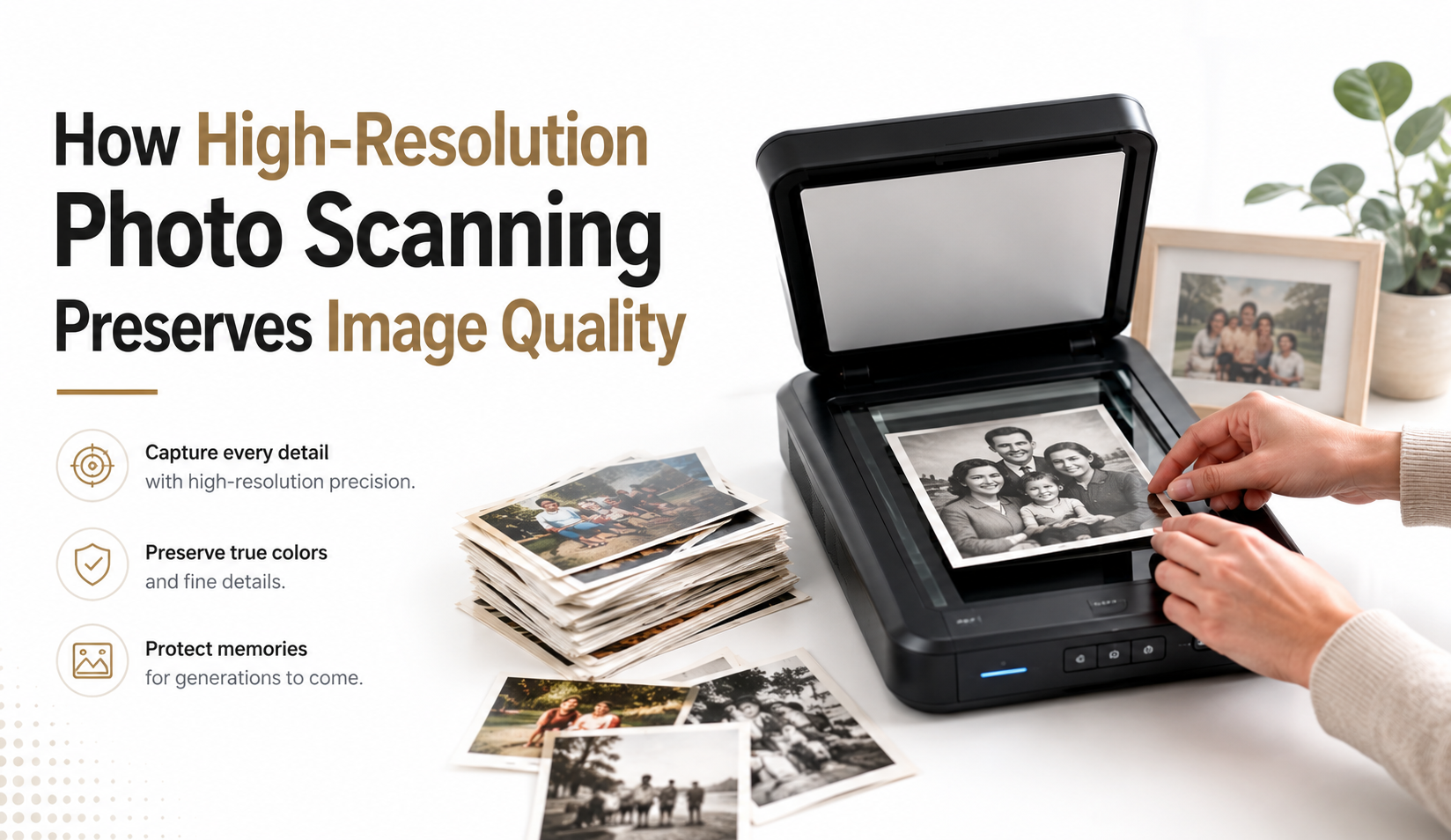
Many business owners and families hold onto archives of physical photographs, believing those prints will last forever. We often see the disappointment on a client’s face when they realize their 30-year-old marketing photos or family portraits have lost their vibrancy. To stop this decline, professional Photo Scanning serves as a critical intervention. We use high-resolution technology to lock in the remaining quality and often reveal details that the aging paper has obscured over time.
Most people assume that any desktop scanner can handle a historical archive. We find that consumer-grade flatbeds often compress images, which permanently discards visual data you can never recover. Professional-grade hardware utilizes high-bit depth sensors to capture millions more color variations than a standard home office machine. We prioritize this depth because it ensures the digital file remains flexible for future editing or large-scale printing.
High-resolution scanning captures the actual grain of the film or the fine texture of the photographic paper. We focus on achieving a high optical resolution rather than relying on software tricks to "upscale" a low-quality image. When we capture the image correctly at the start, we provide a file that stays sharp even when you view it on a massive 4K monitor. This level of detail preserves the photographer's original intent without introducing digital artifacts.
Dots Per Inch (DPI) serves as the primary metric for digital clarity, but many people misunderstand how it works. We recommend scanning small prints at a much higher DPI than larger ones to allow for future enlargements. If you scan a 4x6 photo at a low resolution, it will look blocky and "pixelated" if you try to print it as an 8x10. We ensure that every scan provides enough data to double or triple the size of the original image without losing crispness.
Cheap scanners often advertise "interpolated resolution," which essentially means the computer is guessing where pixels should go. We avoid this practice because it creates a blurry, artificial look that ruins the authenticity of a vintage photo. True optical resolution involves the physical capability of the scanner's lens to see fine lines and tiny details. We rely on high-end optics to ensure the digital copy remains a faithful reproduction of the physical original.
Physical prints consist of sensitive chemicals and organic materials that react to the world around them. We observe that even "archival" boxes cannot fully stop the slow process of oxidation and fading. Humidity causes the emulsion to soften, while light exposure bleaches the dyes that create the image. Digitizing your collection at high resolutions effectively "freezes" the photo in its current state before the environment destroys it completely.
Digital files do not yellow, tear, or grow mold like physical paper does. By creating a high-resolution master file, we give you a permanent insurance policy against natural disasters or accidental damage. We suggest keeping multiple backups of these files in different locations to ensure your history survives even if the physical originals vanish. This proactive approach turns a fragile physical liability into a durable digital asset.
Color photos from the 1970s and 80s often develop a heavy orange or magenta tint as certain dyes break down faster than others. We use high-resolution scans to capture the existing color data, which allows for precise digital restoration. While we cannot fix the physical print, we can use the digital file to rebalance the colors. This process restores the natural skin tones and sky blues that have faded away over the decades.
Old photos often hide significant details in the dark shadows or bright highlights that the human eye misses. Our professional equipment utilizes a high dynamic range to "see" into these areas during the scanning process. We often uncover hidden faces in a crowd or distant background elements that a standard scan would simply turn into a black blob. Preserving these textures ensures the photo retains its emotional depth and historical value.
One of the most frequent hurdles we encounter involves the discrepancy between the physical print and the digital screen. Clients often struggle with color accuracy because every monitor displays light differently. We use calibrated workflows to ensure that the digital file matches the original print as closely as possible. This technical precision prevents the "neon" or "washed out" look common in amateur digitization projects.
We implement strict color profiles for every batch of photos we process. This consistency means that if you decide to print your digital files five years from now, the colors will remain faithful to the original. We believe that true preservation requires more than just a clear image; it requires an accurate representation of the original’s mood. Our team monitors these color shifts throughout the scanning process to maintain a high standard of realism.
Once we create high-quality scans, the way you store them matters just as much as the scan itself. We advise against saving your master files as low-quality JPEGs, which discard data every time you save the file. Instead, we recommend using TIFF or high-quality PNG formats for your primary archive. These "lossless" formats ensure that your image quality stays perfect, no matter how many times you open the file.
We treat TIFF files as the "digital negative" of your photograph because they hold the maximum amount of information. While these files take up more disk space, they provide the best foundation for any future technology. We usually suggest keeping a set of smaller JPEGs for easy sharing on social media or email. However, you should always protect your high-resolution masters as your primary historical record.
We often see people attempt to scan photos through the plastic sleeves of an album, which creates terrible glare and distortion. We always recommend removing photos from their housing to get the cleanest possible contact with the scanner glass. Additionally, dust acts as the enemy of a high-resolution scan. We carefully clean every surface with microfiber cloths and air blowers to prevent tiny specks from looking like giant boulders on your digital image.
Another mistake involves over-processing images during the scanning phase. Some automated "auto-fix" tools strip away the natural character of a vintage photo, making it look like a modern plastic image. We prefer a light touch that respects the era in which the photo was taken. Our goal remains the preservation of history, not the complete rewriting of it. We focus on clarity and longevity while keeping the original soul of the photograph intact.
High-resolution scanning represents the most effective way to safeguard your visual history against the ravages of time. We understand that these images represent more than just data; they are the milestones of your business and your family. By investing in professional-grade digitization, you ensure that these moments remain vivid and accessible for decades to come.
At Laguna Digital, we combine technical expertise with a deep respect for the stories behind every image. We provide the tools and experience necessary to transform your fading archives into a vibrant, high-quality digital legacy. Contact us today to learn how we can help you preserve your most important memories with the precision they deserve.